Private desktop writing software

A calm desktop workspace for notes, research, and long-form drafts.

Keep years of writing searchable without turning your workspace into a dashboard. Riverley stores your work locally, works fully offline after activation, and costs $39 once.

Try the live demo
  • Local storage
  • Offline after activation
  • Up to 3 devices
  • No subscription

Local by defaultYour notes, drafts, and research stay on your computer.

Offline after activationKeep writing without a network connection.

Built for a growing archiveSearch and organize work collected over time.

Buy once$39. No recurring subscription.

Interactive browser demo

Try the writing experience before you buy.

Change the theme, adjust the page width, open the slash menu, and start typing. This lightweight demo shows the core editor experience and resets when the page refreshes.

Browser demo note. The installed desktop app adds the complete workspace, local search, revision history, backup tools, and richer image handling. Demo edits reset when the page refreshes.

Write calmly

An interface that clears the noise.

Riverley keeps the page in front and the tools nearby. Write a quick note, shape a long draft, or collect visual references without turning the workspace into a dashboard.
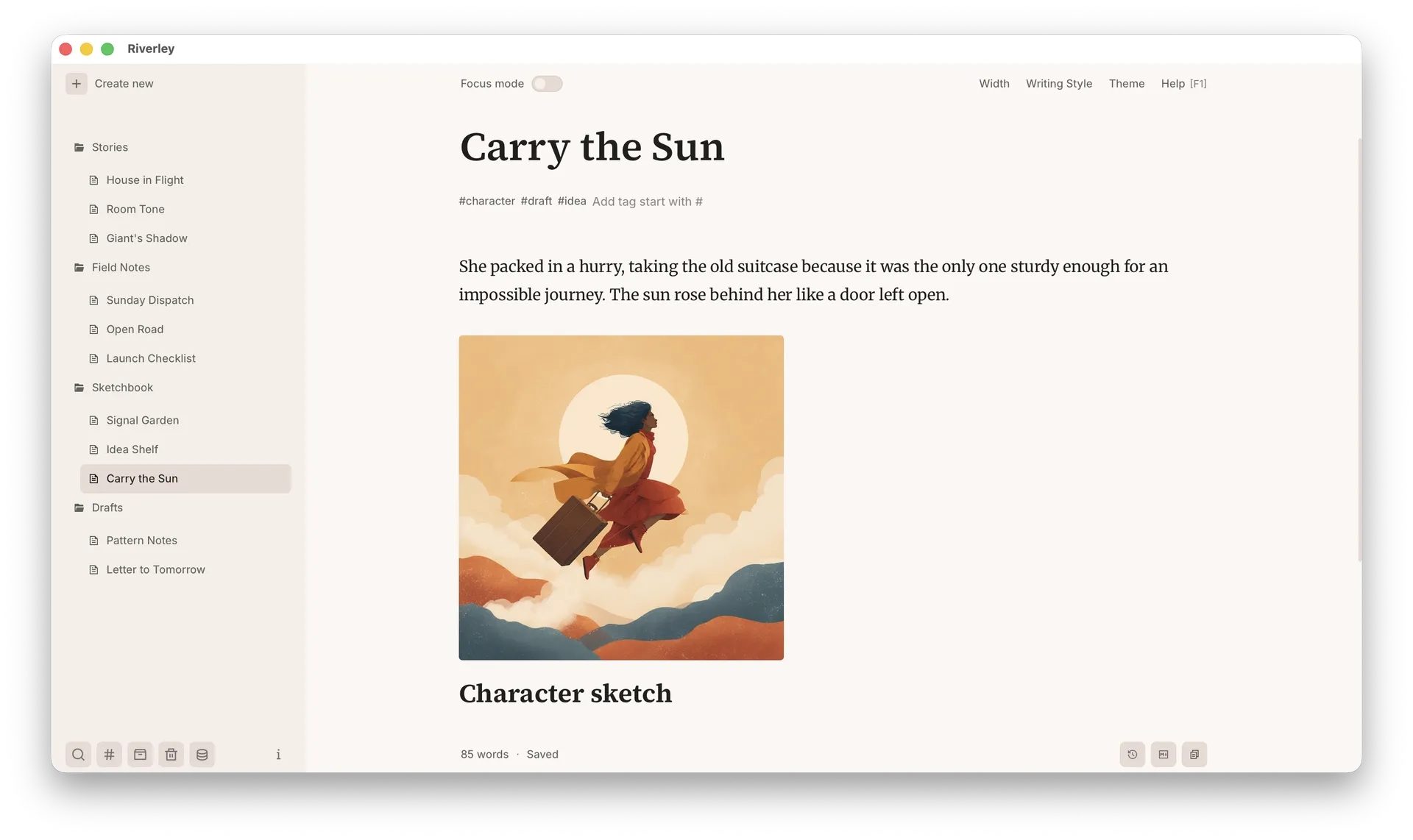
Riverley main workspace showing notes, collections, and the editor
Main workspace

Main workspace

Keep notes, drafts, images, tags, and collections together in one quiet desktop workspace.

Focus mode

Clear the surrounding interface when the draft needs more room to breathe.

Typography presets and themes

Switch from a compact technical note to a wide long-form page without relearning the editor.

Rich content support

Keep images and visual references inside the note, beside the words they belong to.
Stay organized

Find the right note and keep moving.

Keyboard control is treated as a core part of the product, with a workflow designed around WCAG keyboard-navigation guidance. Move between notes, search, tags, and editor tools without reaching for the mouse, while keeping a growing archive easy to navigate.

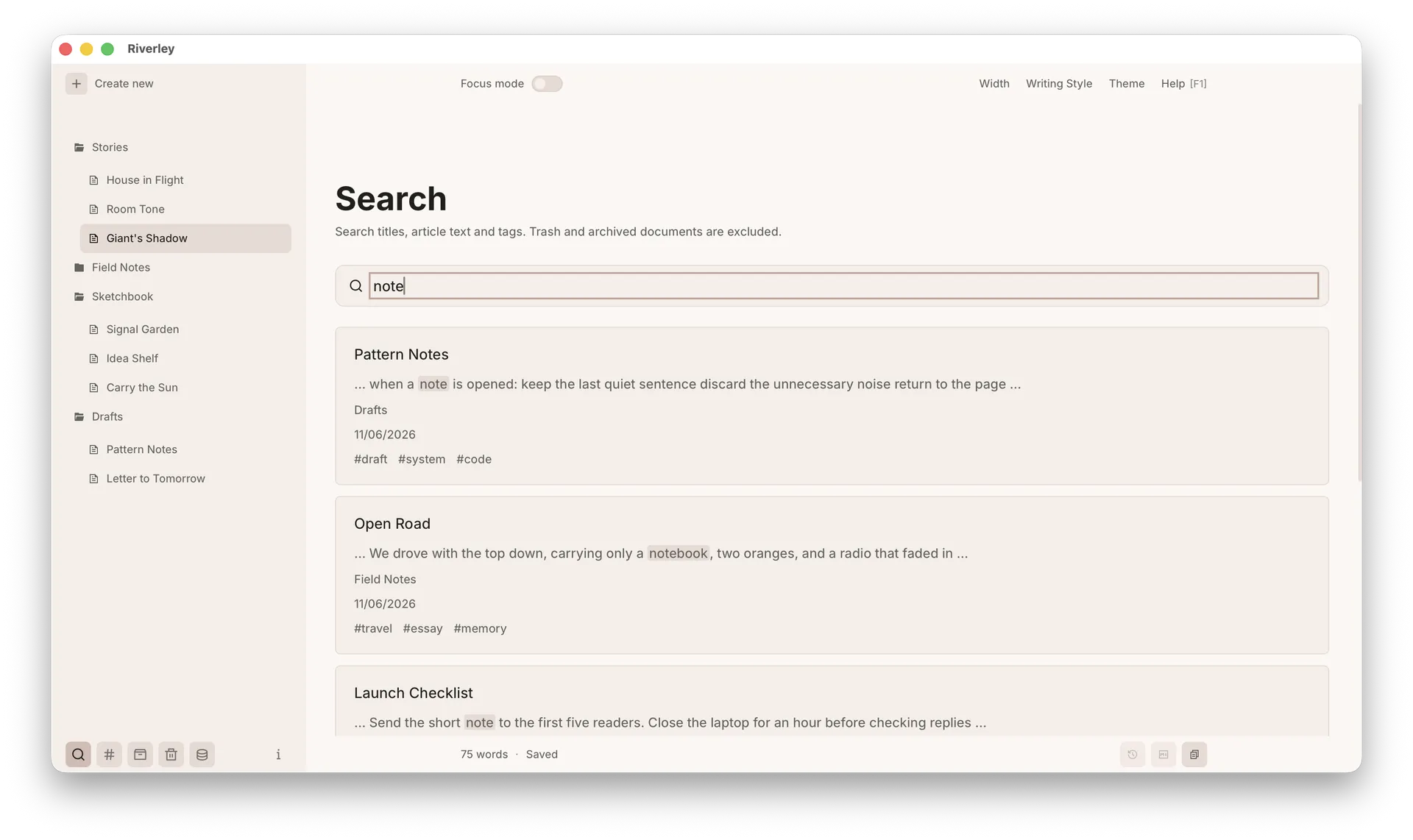
Riverley local search results across a writing workspace

Local search

Find older drafts, research fragments, and recurring ideas across your workspace.

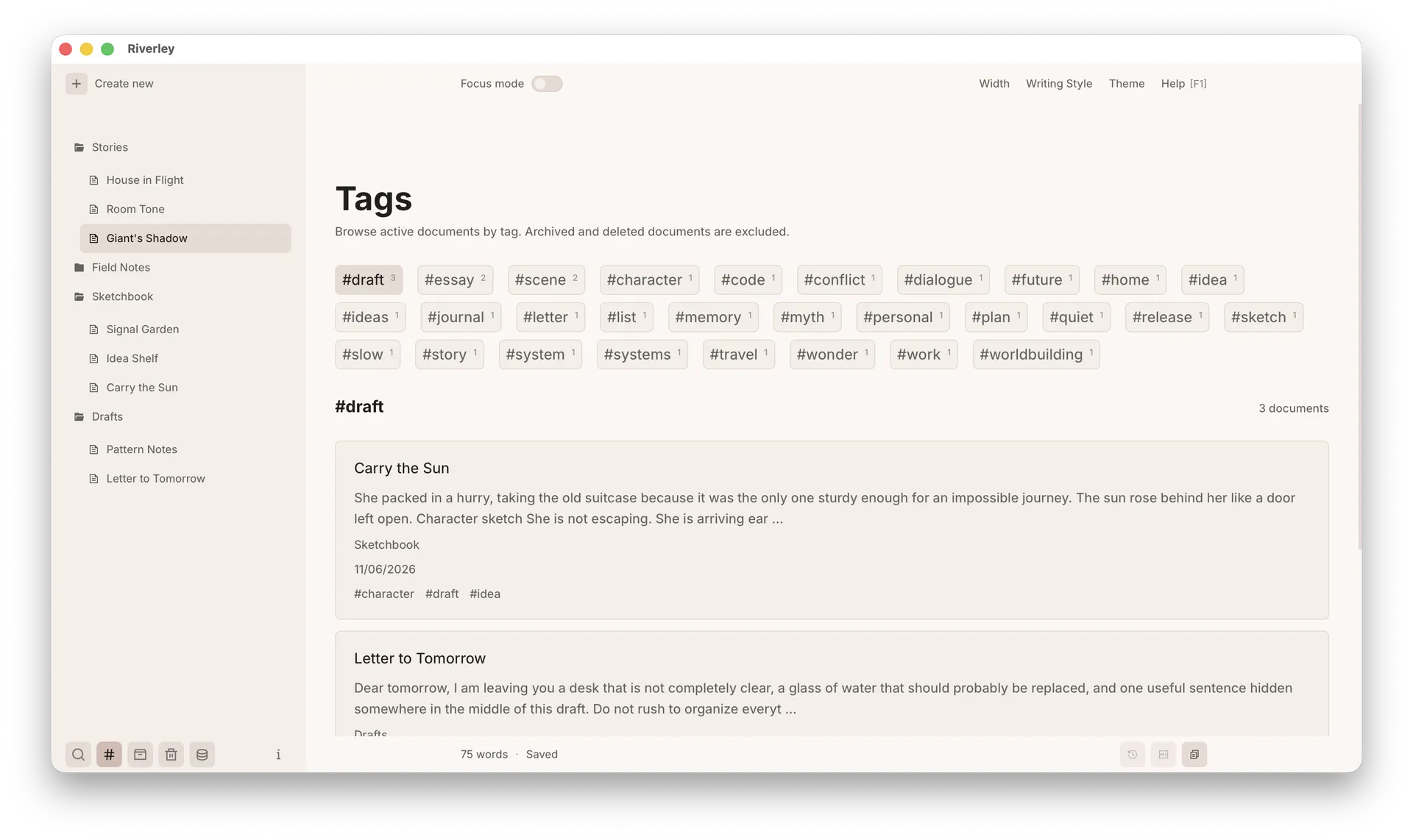
Riverley tag management screen for related notes

Tags and collections

Group related work without forcing every note into a rigid folder system.

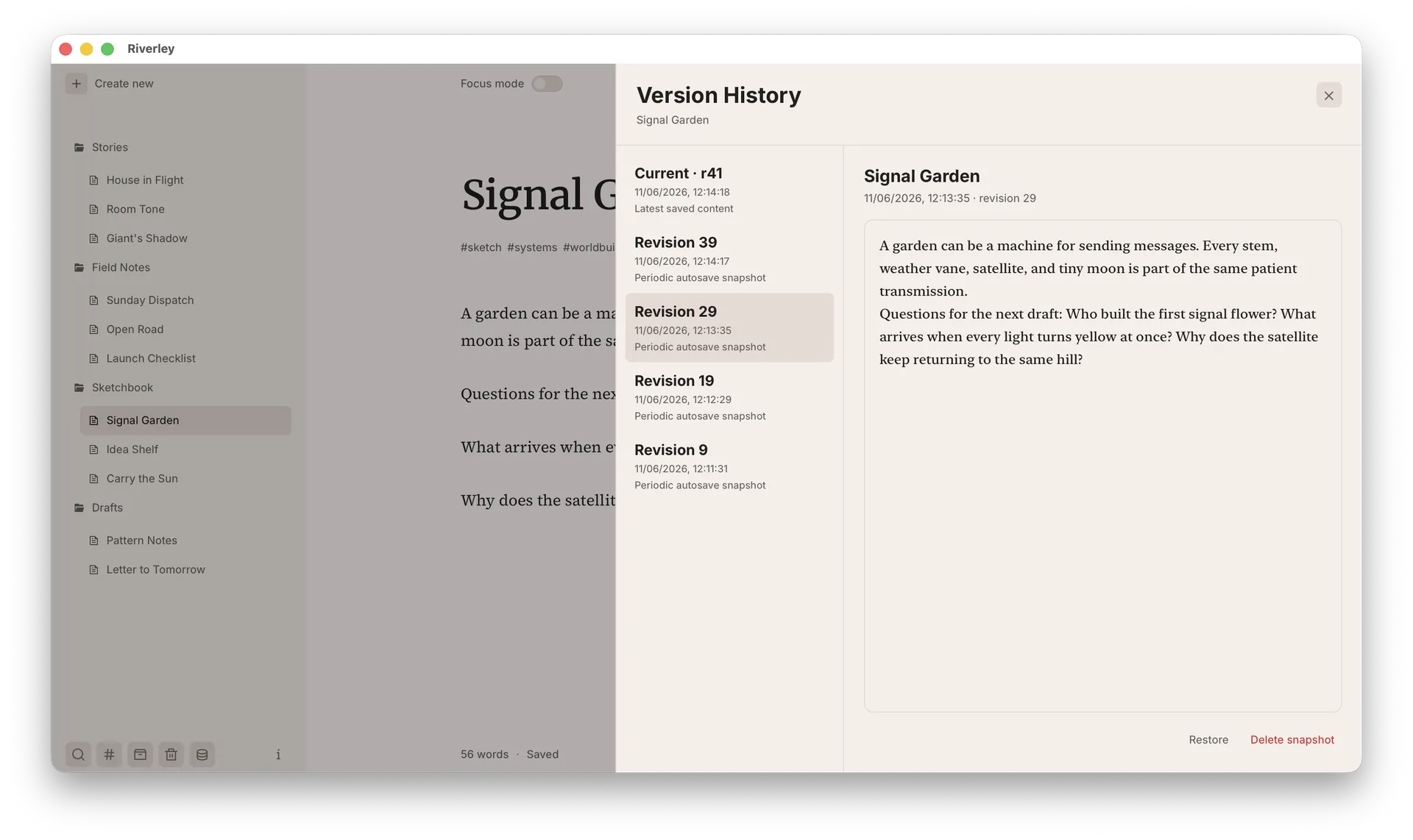
Riverley version history panel with document revisions

Revision history

Return to an earlier version without managing files manually.

Private by default

Your writing stays on your computer.

Riverley stores your work locally and remains fully usable offline after activation. Your archive stays private, portable, and recoverable.

Work offline

Keep writing without a network connection after the initial license activation.

Local storage

Your notes, drafts, images, tags, collections, and revision history stay on your device.

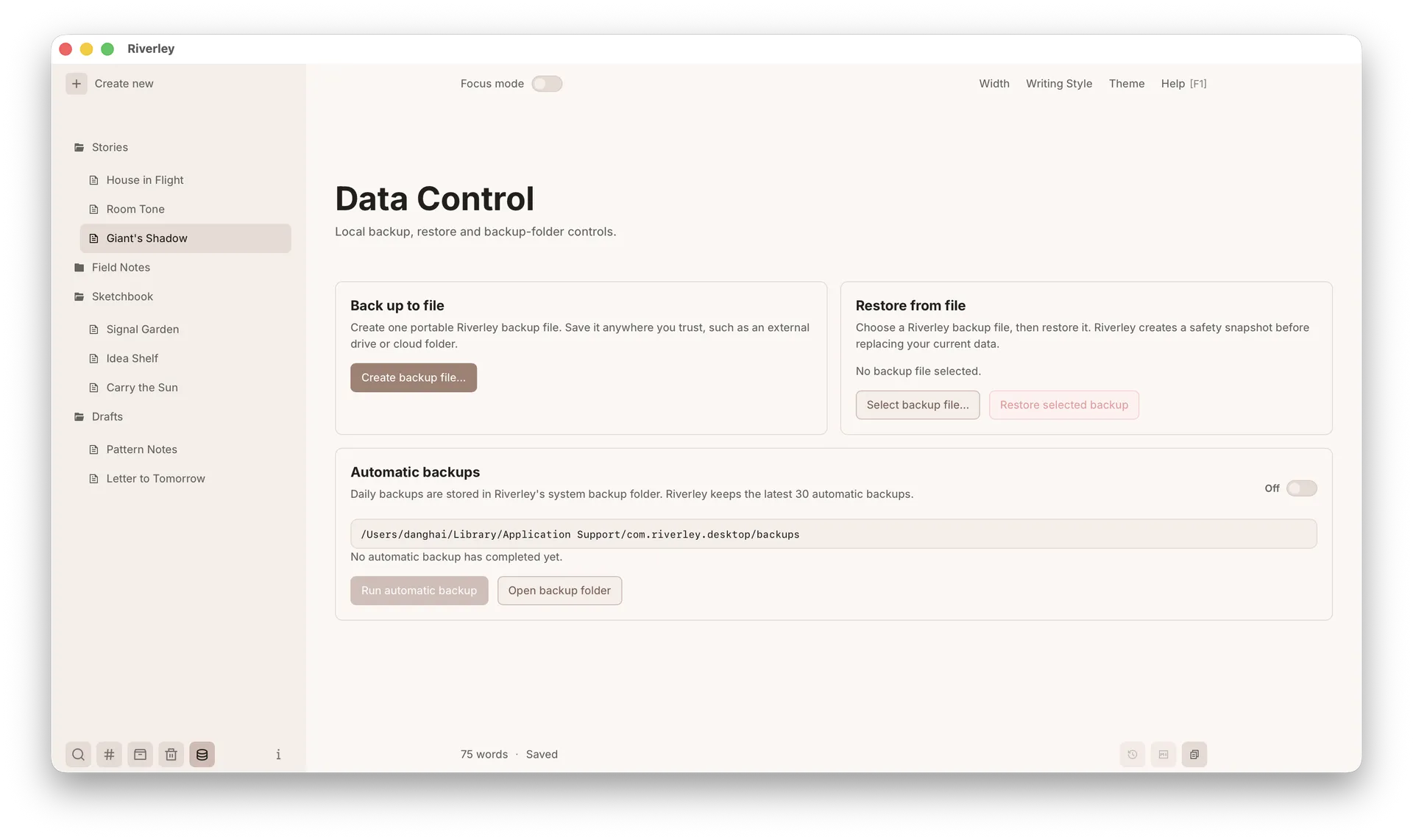
Backup and restore

Create backups and restore your workspace without cloud lock-in.

Riverley data control screen for backup and restore settings
Backup and restore

One purchase. No recurring fee.

Own the writing tool you use every day.

Riverley is a private desktop writing workspace for notes, research, and long-form drafts. Buy it once and keep using it for years.

FAQ

Practical details before you buy.

Is Riverley a subscription?

No. Riverley is a one-time purchase. You buy it once for $39 and keep using it, including future updates and major releases.

How many devices does one license cover?

One Riverley license can be activated on up to 3 devices.

Can I use Riverley offline?

Yes. An internet connection is required for initial license activation. After activation, Riverley can be used fully offline.

Where is my writing stored?

Your writing is stored locally on your own machine. Riverley is designed around privacy-first local ownership.

Which desktop platforms are supported?

Riverley is distributed for macOS, Windows, and Linux as an AppImage.

Does Riverley sync my writing to the cloud?

No. Riverley is designed around local ownership. It does not upload or read your writing content.

Why does the browser demo not show every feature?

The live demo is a lightweight showroom built for the web. Some desktop-only interactions — including advanced image editing behavior and the full workspace system — are better shown through real screenshots of the installed app.

Ready when the page matters

A calm place for the work you want to keep.

Write notes, collect research, and shape long drafts in a private desktop workspace that stays useful as your archive grows.